如何在PowerPoint中增添SmartArt形状?
1、打开PowerPoint软件。

2、点击插入选项卡。

3、点击SmartArt按钮。

4、自由选择SmartArt图形。

5、点击确定。

6、点击左上角添加形状。
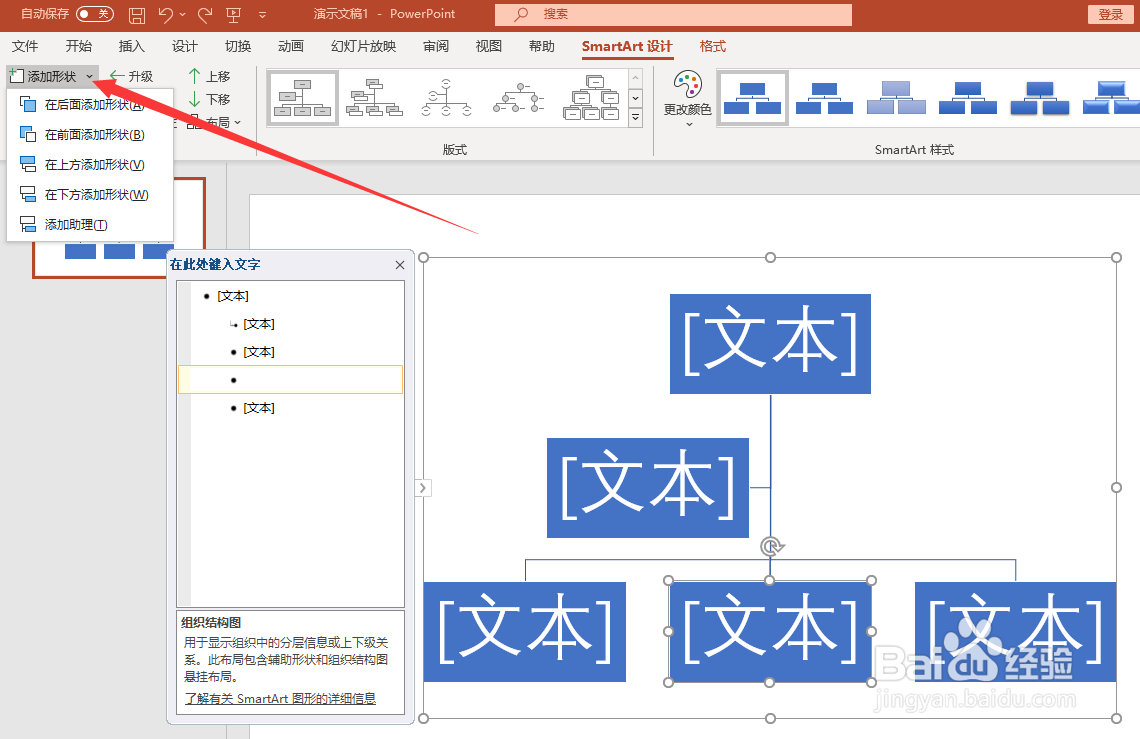
7、选择需要添加的位置。

8、点击鼠标左键,SmartArt形状添加完成。

阅读量:75
阅读量:106
阅读量:20
阅读量:27
阅读量:128
1、打开PowerPoint软件。
2、点击插入选项卡。
3、点击SmartArt按钮。
4、自由选择SmartArt图形。
5、点击确定。
6、点击左上角添加形状。
7、选择需要添加的位置。
8、点击鼠标左键,SmartArt形状添加完成。