EmEditor怎么设置通过滚动位置移动光标
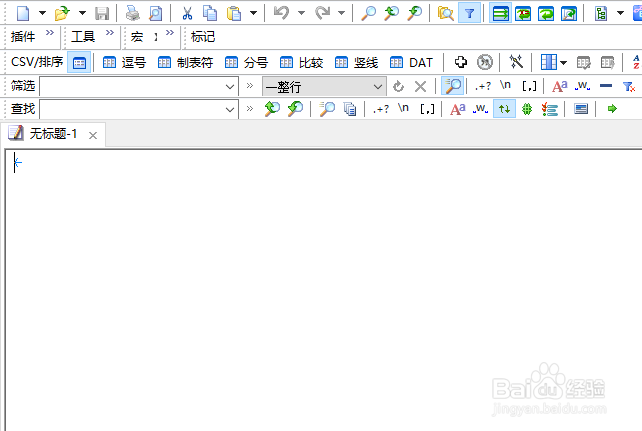
1、打开一个EmEditor的界面中
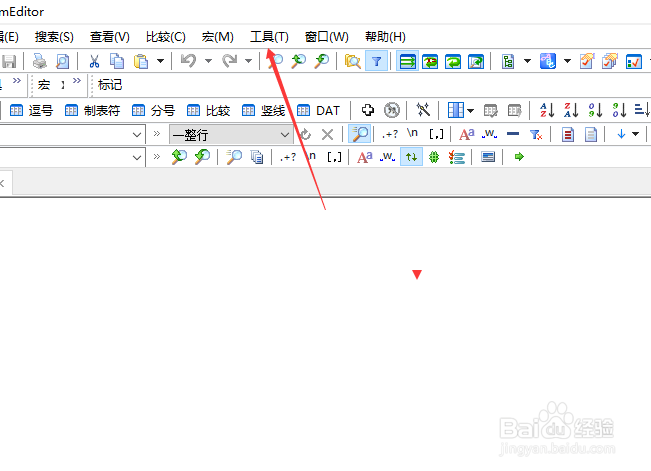
2、点击EmEditor菜单工具菜单
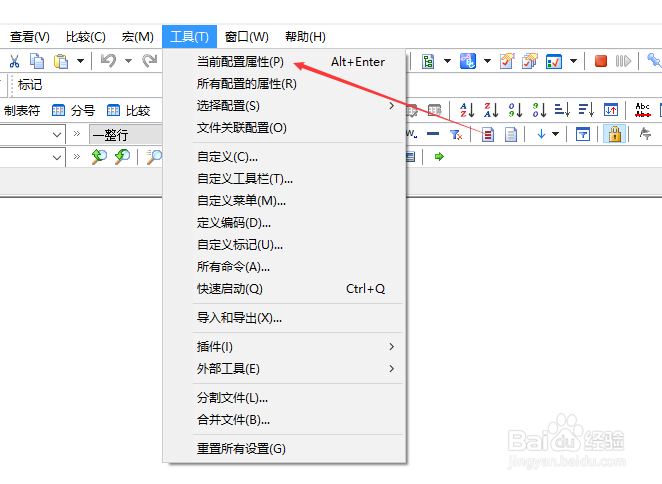
3、弹出了下拉菜单选中当前设置属性
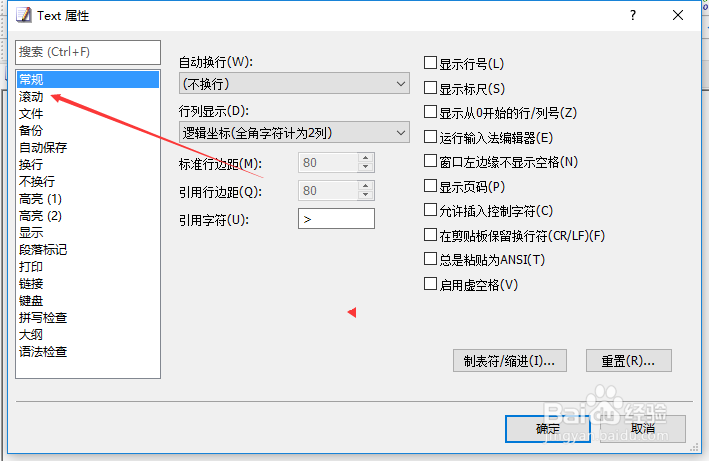
4、点击左侧中滚动选项
5、勾选通过滚动位置移动光标选项
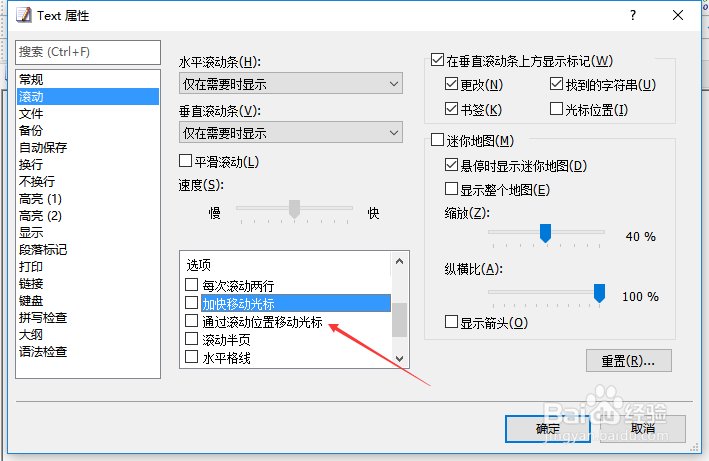
6、勾选通过滚动位置移动光标选项之后,点击确定

阅读量:157
阅读量:75
阅读量:96
阅读量:100
阅读量:82
1、打开一个EmEditor的界面中
2、点击EmEditor菜单工具菜单
3、弹出了下拉菜单选中当前设置属性
4、点击左侧中滚动选项
5、勾选通过滚动位置移动光标选项
6、勾选通过滚动位置移动光标选项之后,点击确定