Lists To do怎么停用Enable Sounds
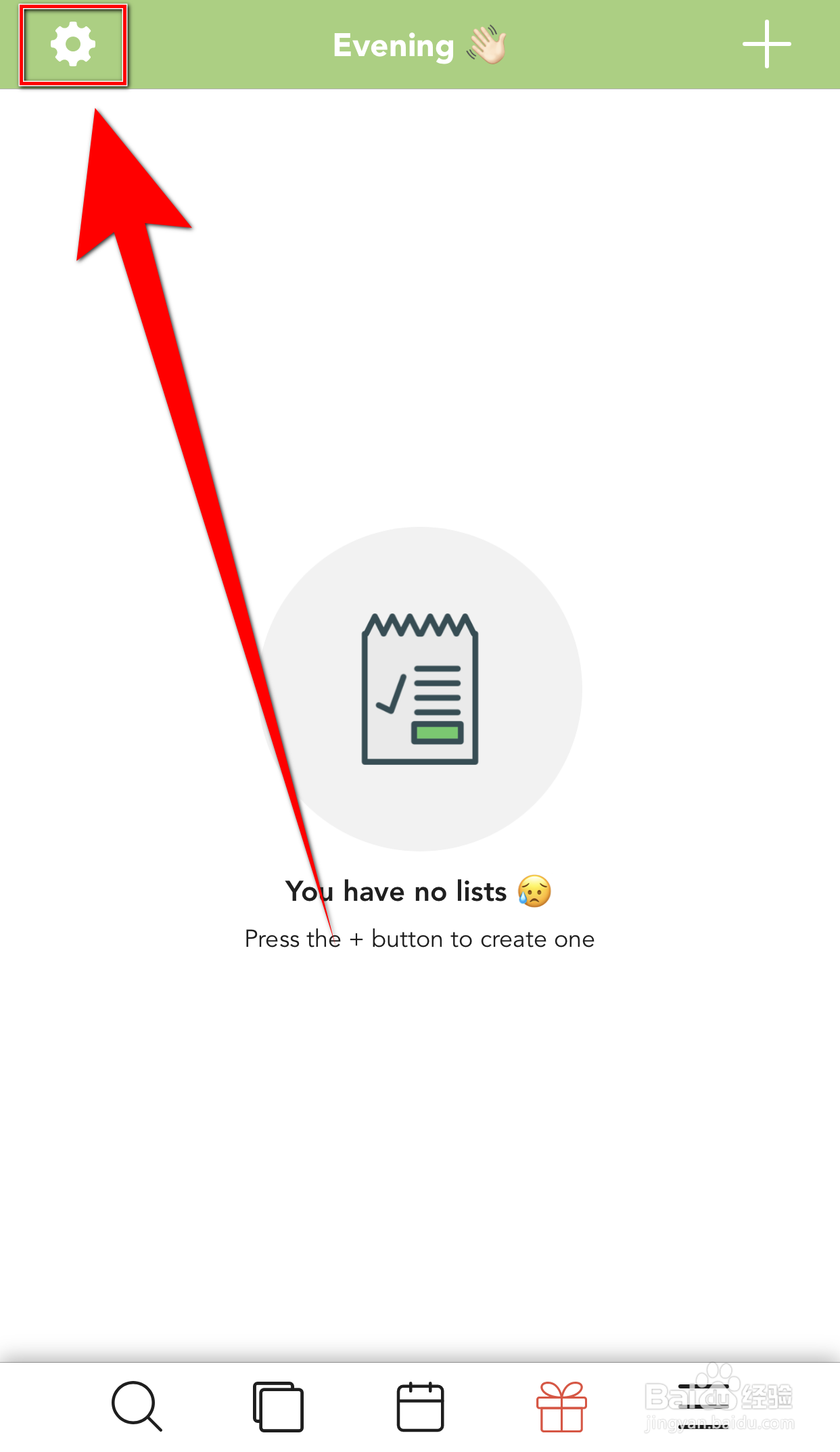
1、Lists To do首页点击上方的【齿轮】打开Settings界面
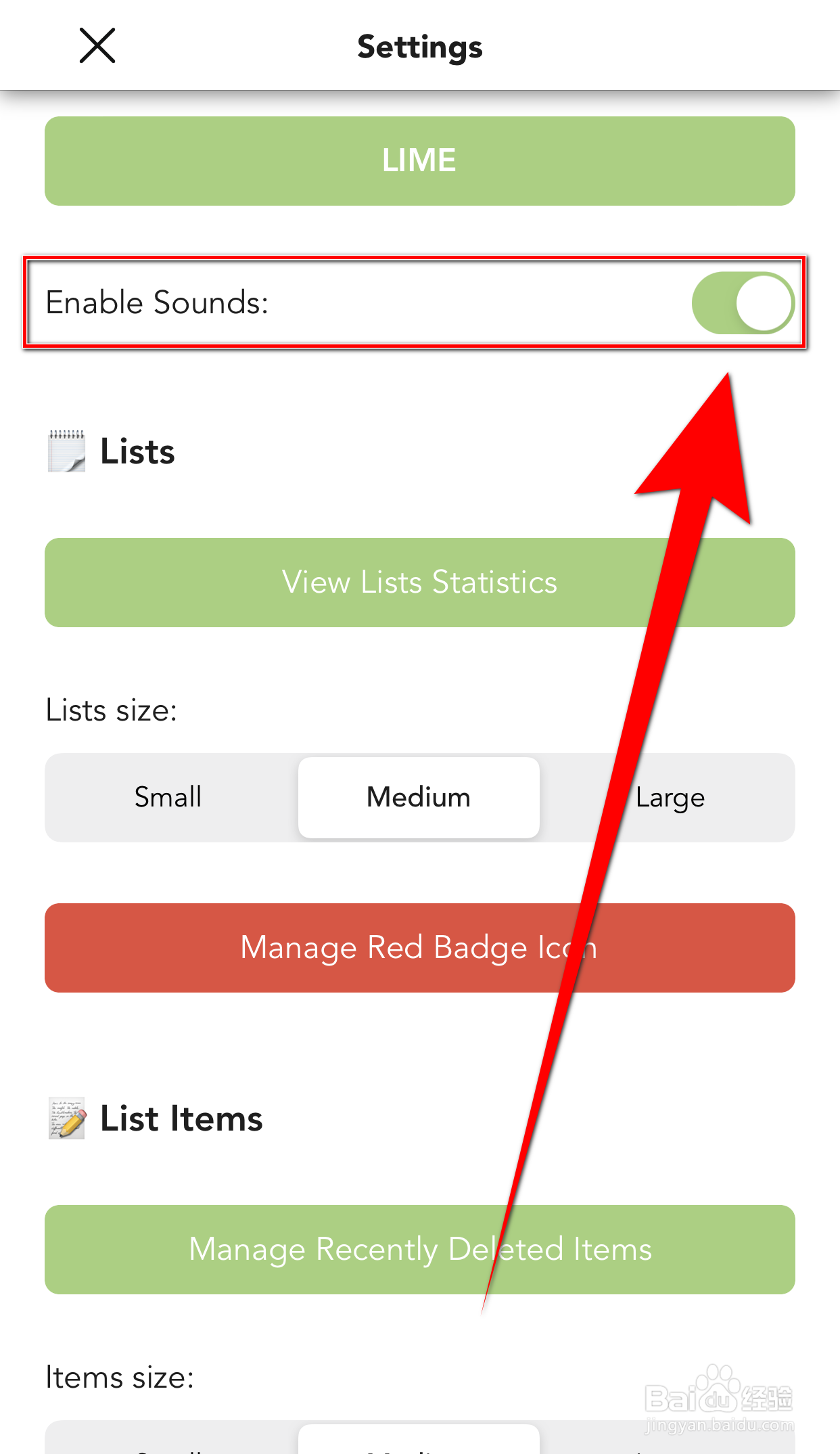
2、Settings界面点击【Enable Sounds】后面的圆点
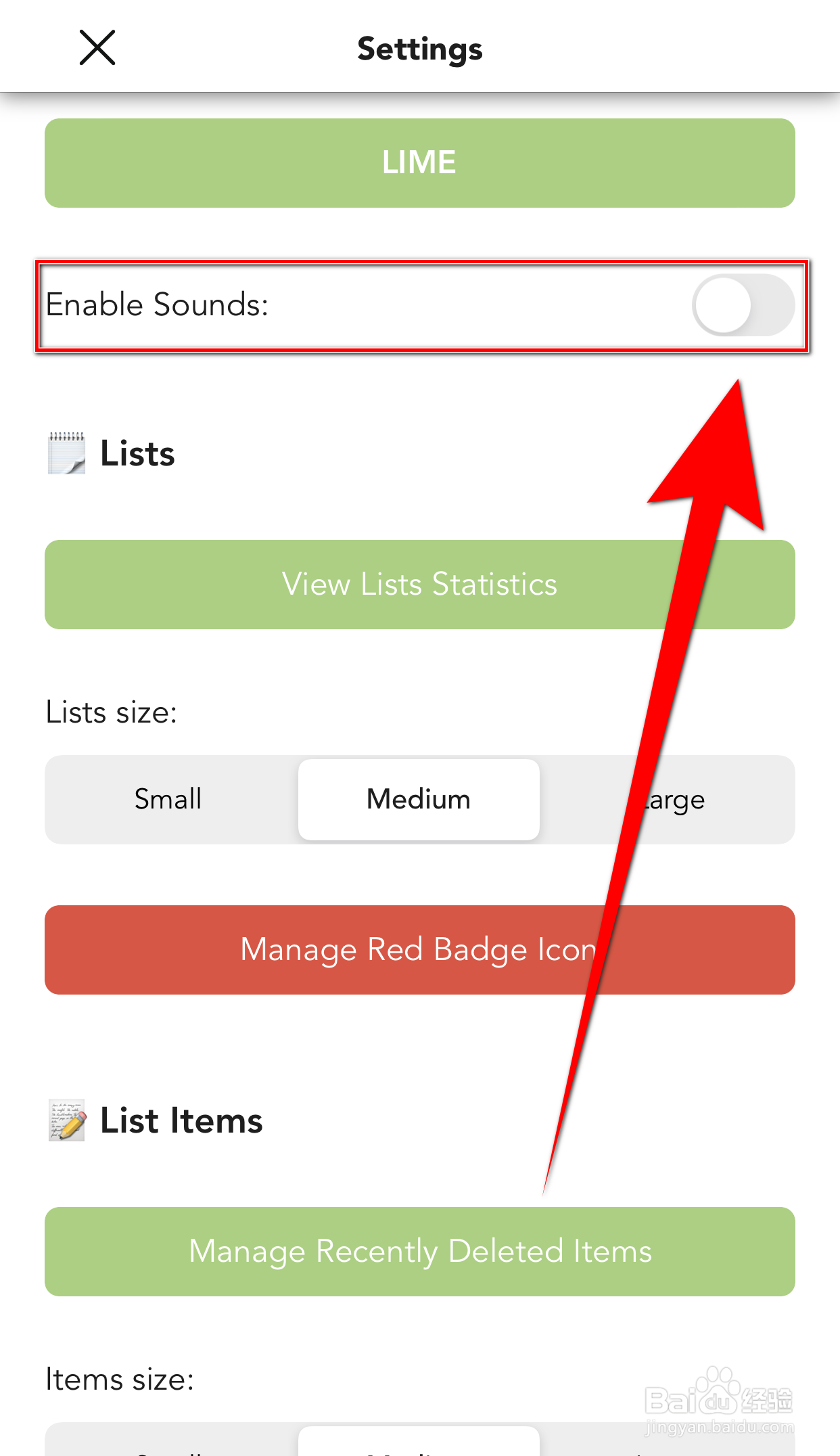
3、【Enable Sounds】后面的圆点变为灰色即表示Lists To do停用Enable Sounds成功
阅读量:152
阅读量:58
阅读量:181
阅读量:57
阅读量:77
1、Lists To do首页点击上方的【齿轮】打开Settings界面
2、Settings界面点击【Enable Sounds】后面的圆点
3、【Enable Sounds】后面的圆点变为灰色即表示Lists To do停用Enable Sounds成功