eclipse字体设置
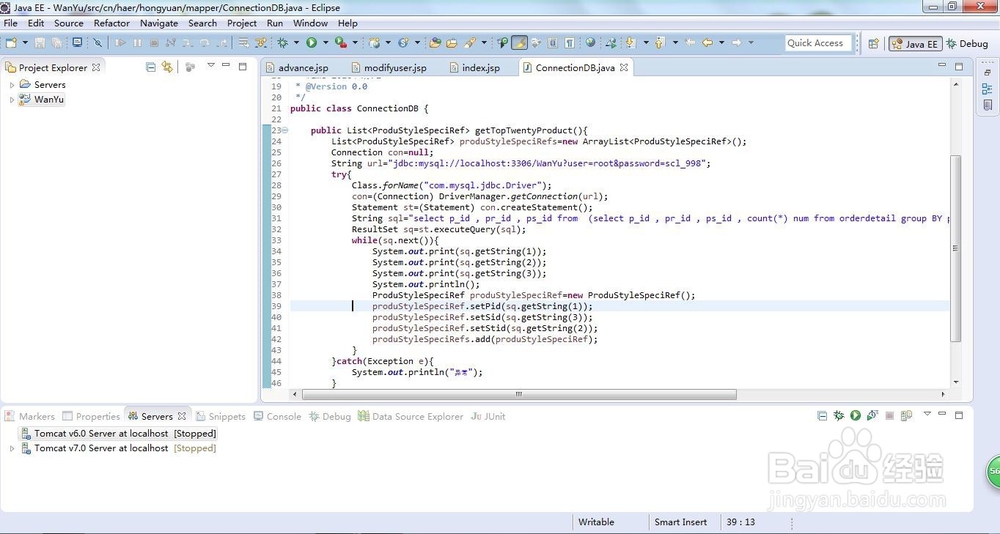
1、打开Eclipse
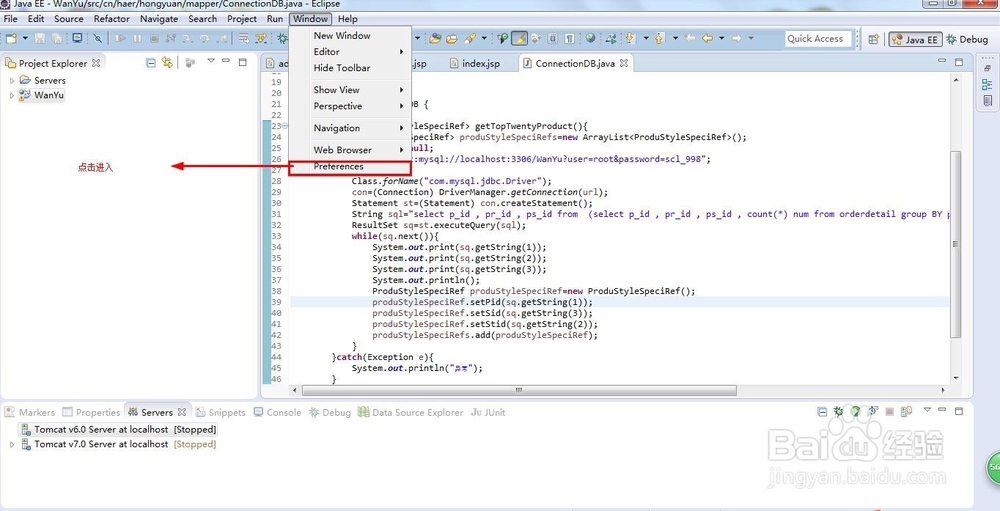
2、点击window-》preferences
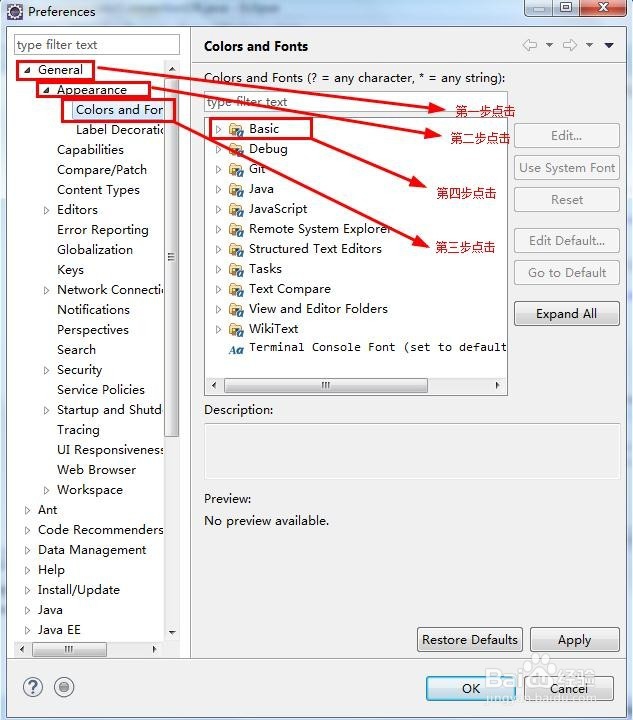
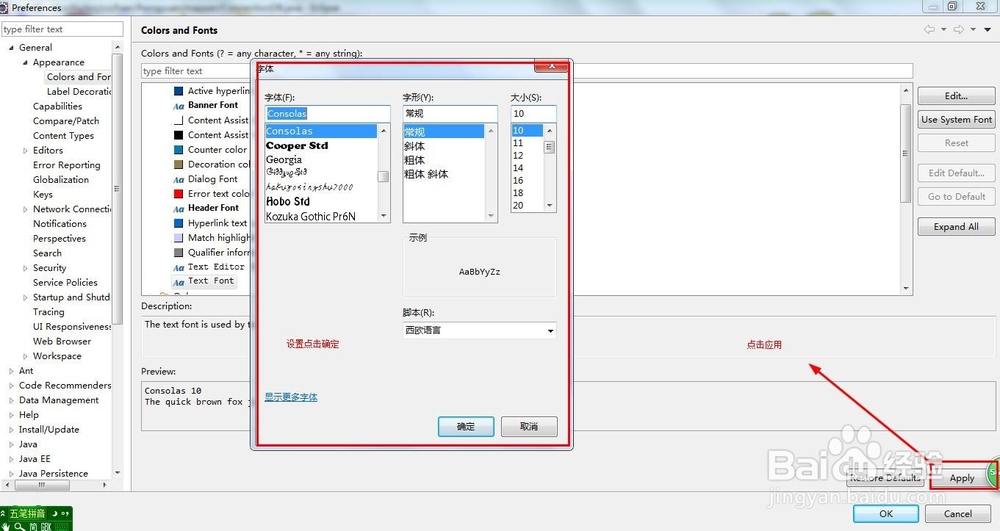
3、点击General->Appearance->Colors and Fonts->Basic
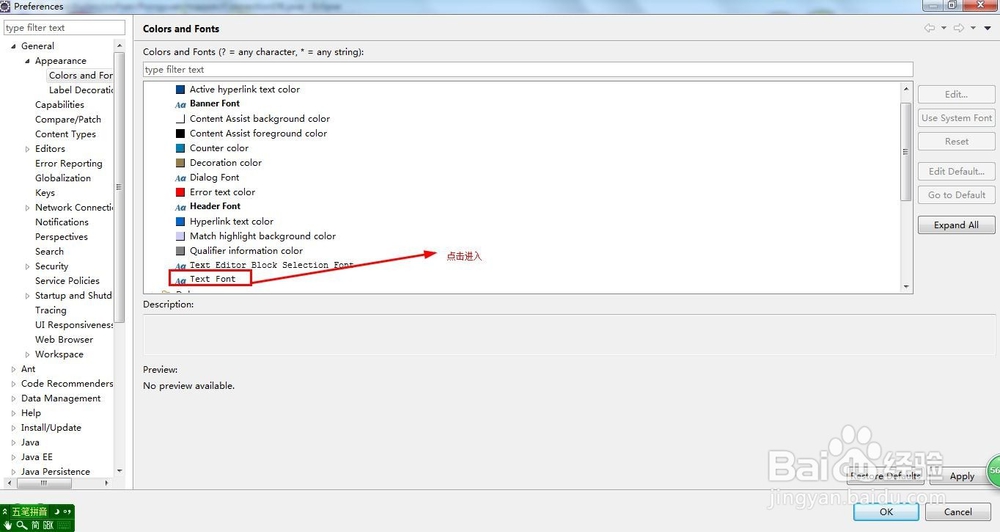
4、点击Text Font
5、进行相关的设置,点击确定,点击apply(应用)
阅读量:84
阅读量:105
阅读量:150
阅读量:81
阅读量:181
1、打开Eclipse
2、点击window-》preferences
3、点击General->Appearance->Colors and Fonts->Basic
4、点击Text Font
5、进行相关的设置,点击确定,点击apply(应用)