使用Windows Server 2003如何查找HOSTS文件
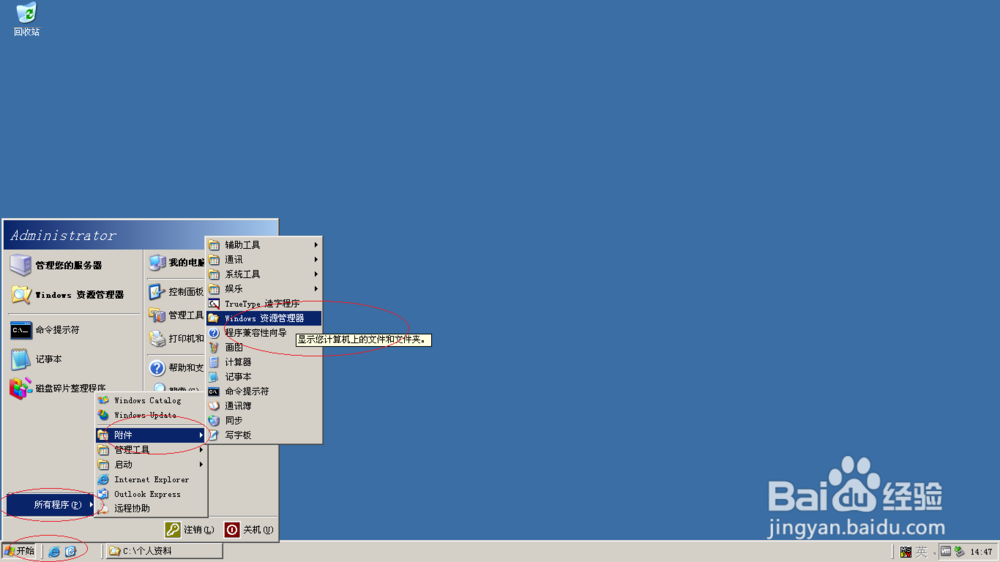
1、首先,选择开始菜单"附件→Windows 资源管理器"项
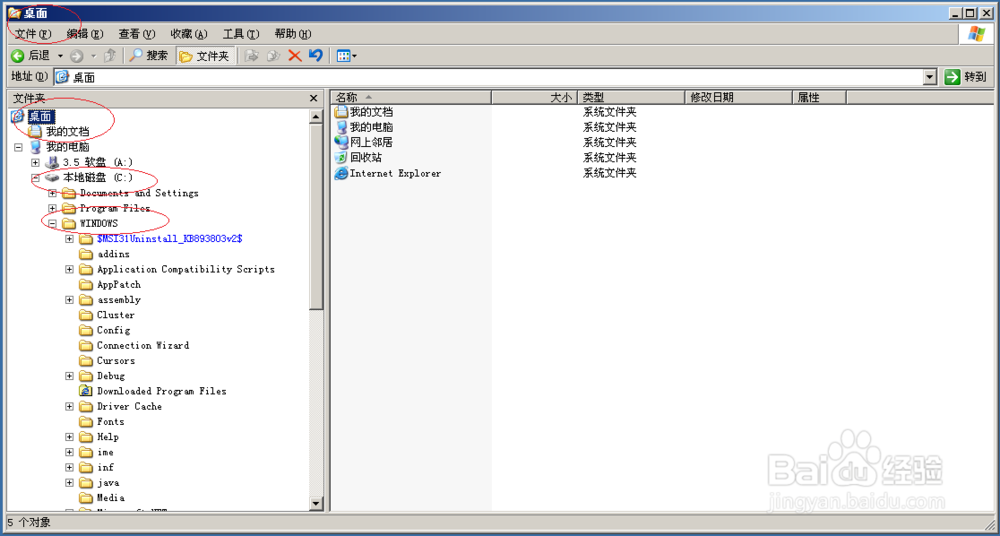
2、展开左侧"我的电脑"文件夹


3、展开"本地磁盘(C:)"文件夹,选择"Windows"文件夹

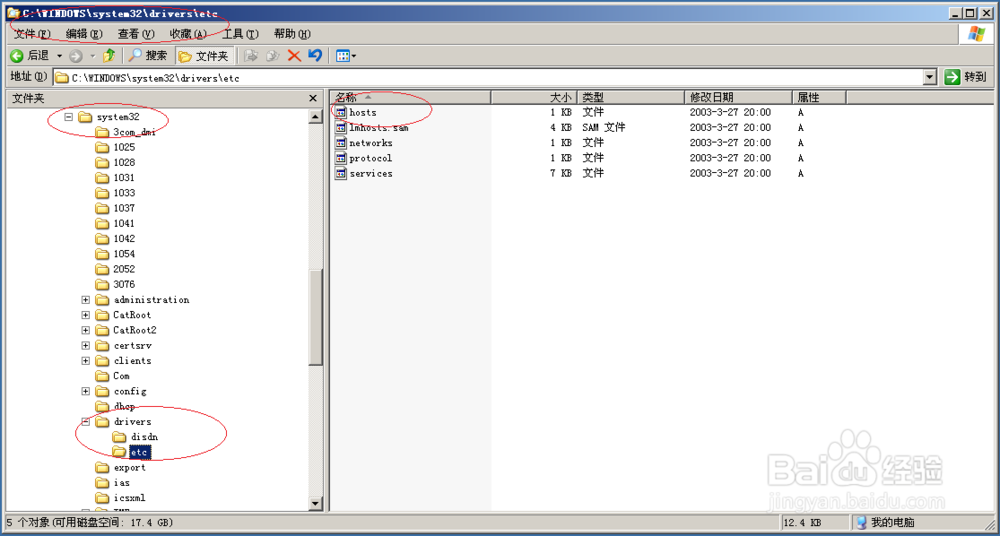
4、选择"System 32"文件夹

5、然后,选择"drivers"文件夹

6、选择"drivers→etc"文件夹,完成操作谢谢关注
阅读量:32
阅读量:196
阅读量:132
阅读量:32
阅读量:23
1、首先,选择开始菜单"附件→Windows 资源管理器"项
2、展开左侧"我的电脑"文件夹
3、展开"本地磁盘(C:)"文件夹,选择"Windows"文件夹
4、选择"System 32"文件夹
5、然后,选择"drivers"文件夹
6、选择"drivers→etc"文件夹,完成操作谢谢关注