苹果13如何查找我的iphone在哪里
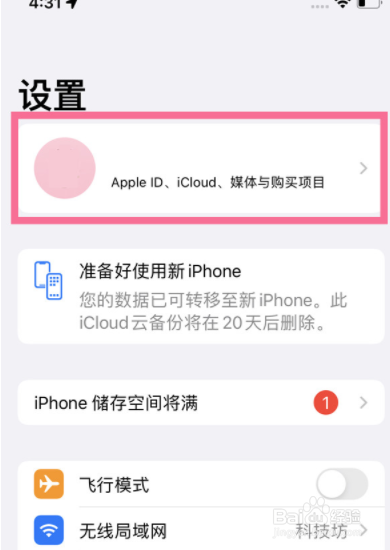
1、在手机设置菜单中点击个人头像进入Apple ID。
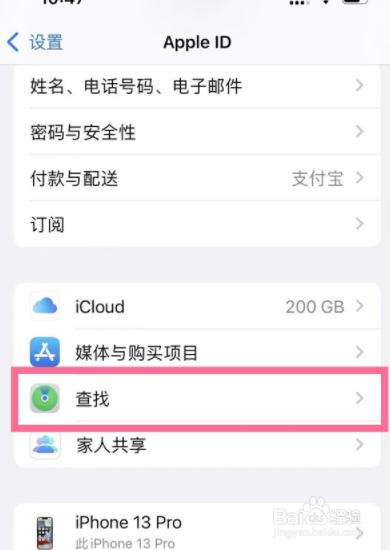
2、点击【查找】,选择【查找我的iPhone】。
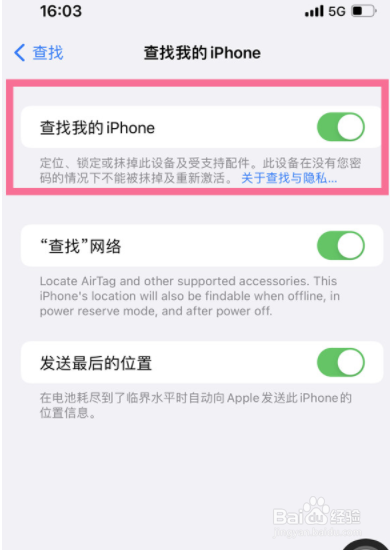
3、开启【查找我的iPhone】右侧的开关即可。
1、在手机设置菜单中点击个人头像进入Apple ID。
点击【查找】,选择【查找我的iPhone】。
开启【查找我的iPhone】右侧的开关即可。
阅读量:45
阅读量:193
阅读量:150
阅读量:129
阅读量:29
1、在手机设置菜单中点击个人头像进入Apple ID。
2、点击【查找】,选择【查找我的iPhone】。
3、开启【查找我的iPhone】右侧的开关即可。
1、在手机设置菜单中点击个人头像进入Apple ID。
点击【查找】,选择【查找我的iPhone】。
开启【查找我的iPhone】右侧的开关即可。