小度经验网
首页
美食营养
生活百科
知识问答
生活知识
返回
小度经验网
首页
美食营养
游戏数码
手工爱好
生活知识
生活百科
健康养生
运动户外
职场理财
情感交际
母婴教育
时尚美容
知识问答
更多知识
搜索
PowerShape 2017怎么设置几何元素旋转角为2.0
2026-04-23 13:20:59
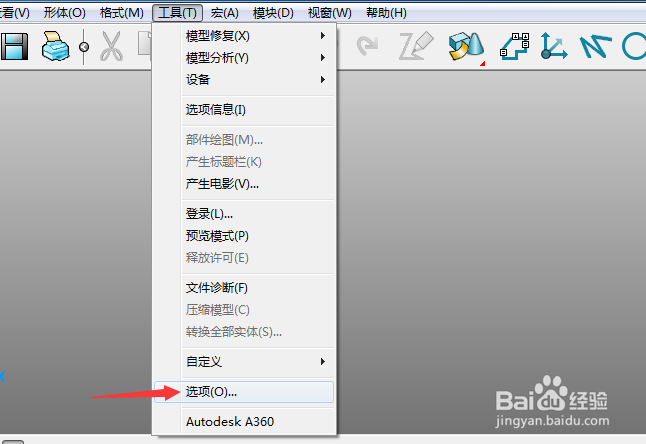
1、首先,点击菜单中的工具菜单,弹出了下拉菜单选中为选项
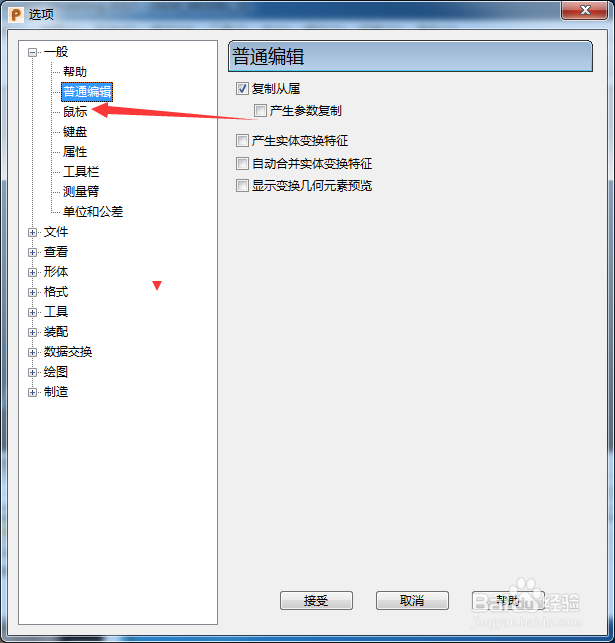
2、点击左侧中鼠标选项
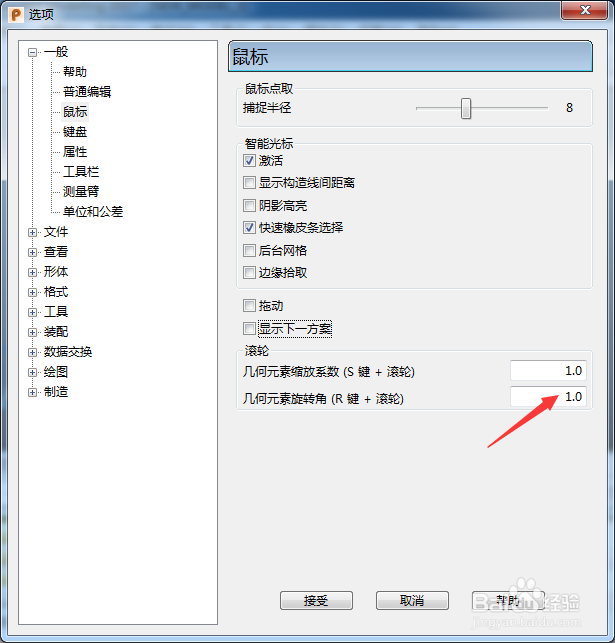
3、在几何元素旋转角中输入2.0
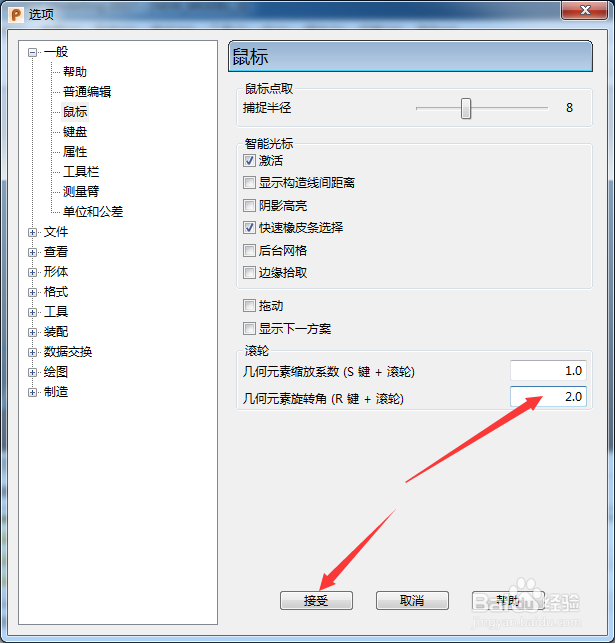
4、输入2.0选项之后,点击接受按钮
相关推荐
PowerShape 2017怎么开启旋转查看
阅读量:70
PowerShape 2017怎么跟踪球颜色为明亮
阅读量:101
PowerShape 2017怎么设置最大不连续角度为30
阅读量:22
PowerShape 2017怎么关闭旋转跟踪球
阅读量:193
PowerShape 2017怎么设置平倒角
阅读量:92
猜你喜欢
武汉理工大学怎么样
皮肤黑怎么办
暂住证怎么办
眼皮跳怎么办
玫瑰花怎么叠
穗怎么读拼音
经常头晕是怎么回事
集体户口怎么领结婚证
建行手机银行怎么开通
横折折撇怎么写
猜你喜欢
中国矿业大学怎么样
套的五笔怎么打
排列组合怎么算
虚火怎么调理
电脑发热严重怎么办
广告词怎么写
微信背景怎么变成黑色了
转正申请怎么写
上火牙疼怎么办
银饰怎么清洗