小度经验网
首页
美食营养
生活百科
知识问答
生活知识
返回
小度经验网
首页
美食营养
游戏数码
手工爱好
生活知识
生活百科
健康养生
运动户外
职场理财
情感交际
母婴教育
时尚美容
知识问答
更多知识
搜索
PowerShape 2017怎么关闭后台网格
2026-04-23 13:27:07
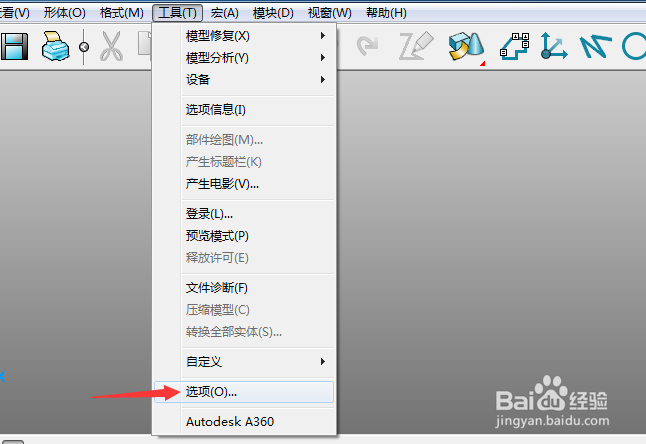
1、点击菜单中的工具菜单,弹出了下拉菜单选中为选项
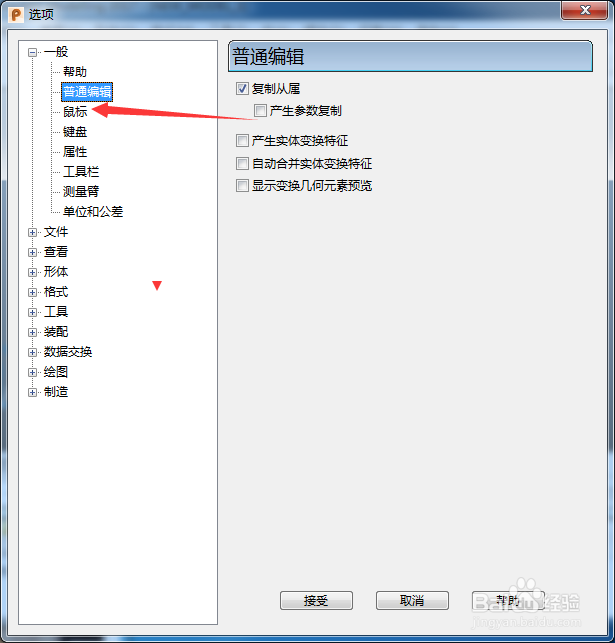
2、点击鼠标选项
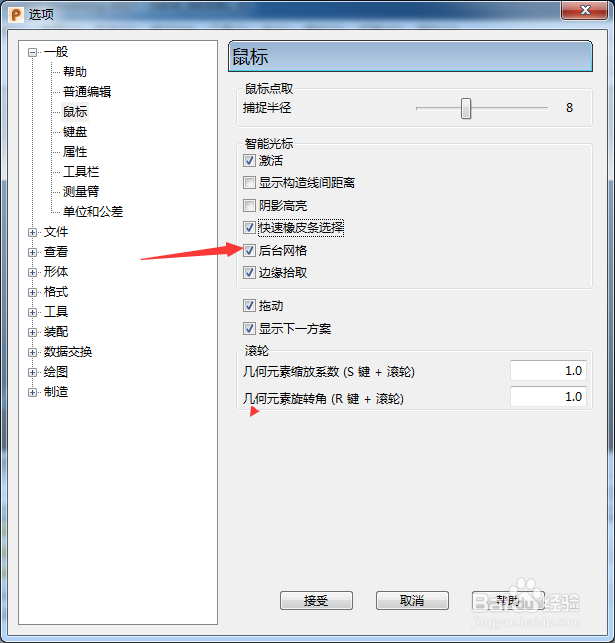
3、去掉勾选上后台网格选项
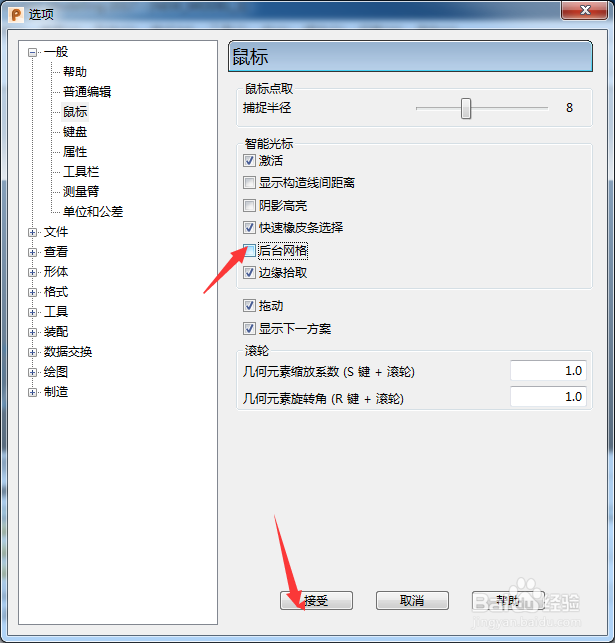
4、去掉勾选上后台网格选项之后,点击确定
相关推荐
B612咔叽怎么关闭网格?
阅读量:45
无他相机怎么关闭网格
阅读量:138
PDFXEdit怎么对显示网格关闭
阅读量:94
PowerShape 2017怎么关闭复制从属
阅读量:90
PowerShape 2017怎么关闭产生参数复制
阅读量:75
猜你喜欢
峙怎么读
冰粉的做法
紫菜包饭的做法
蜜汁山药的做法
微信朋友圈怎么发文字
羊肚菌的做法
感冒鼻子堵塞不通气怎么办
炸土豆条的做法
笋干的做法大全
荞麦面的做法大全
猜你喜欢
脖子上长了小肉粒怎么回事
炸蘑菇的家常做法
野兔的做法
手抓饭的做法
干炸带鱼的家常做法
数独怎么玩
剪映怎么去水印
糖醋带鱼的做法
松仁玉米的家常做法
炒面条的家常做法