小度经验网
首页
美食营养
生活百科
知识问答
生活知识
返回
小度经验网
首页
美食营养
游戏数码
手工爱好
生活知识
生活百科
健康养生
运动户外
职场理财
情感交际
母婴教育
时尚美容
知识问答
更多知识
搜索
EmEditor怎么设置水平线
2026-04-22 07:12:23
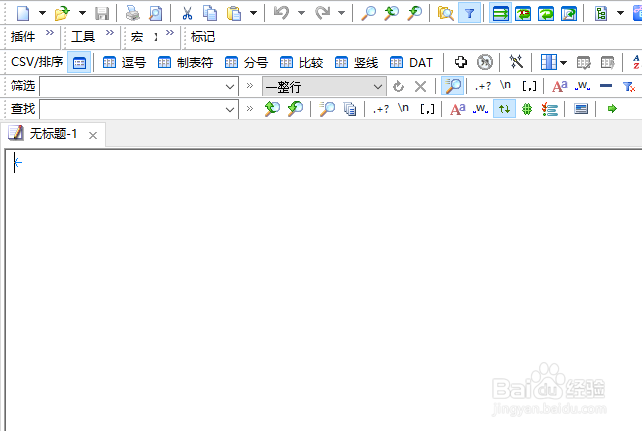
1、打开一个EmEditor的界面中
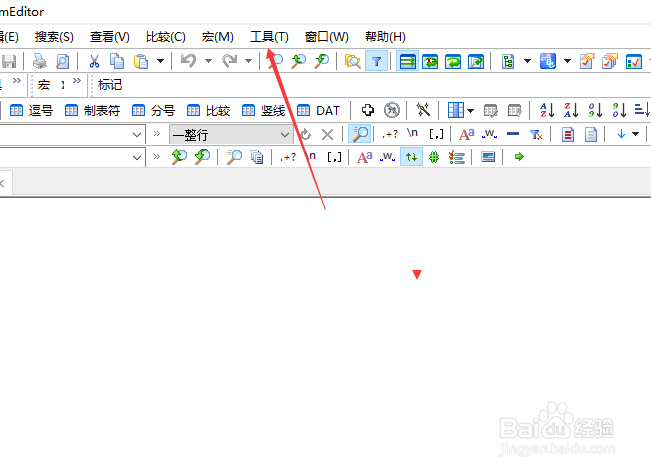
2、点击EmEditor菜单中工具菜单
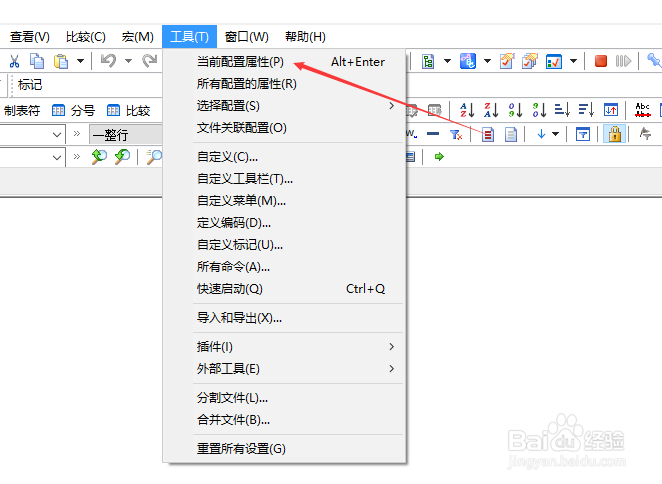
3、弹出了下拉菜单选中当前设置属性选项
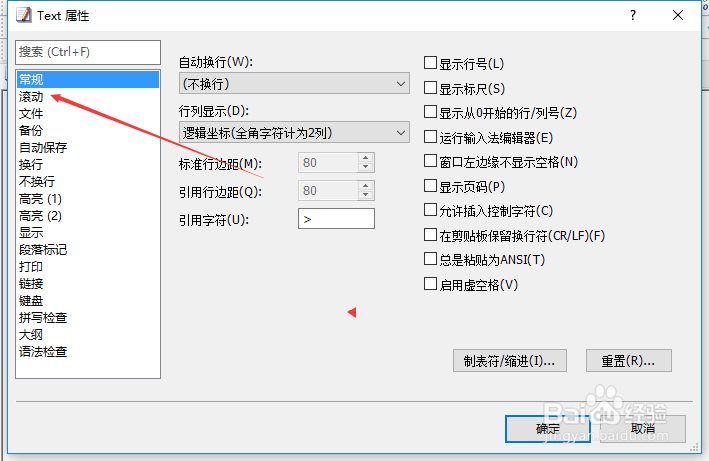
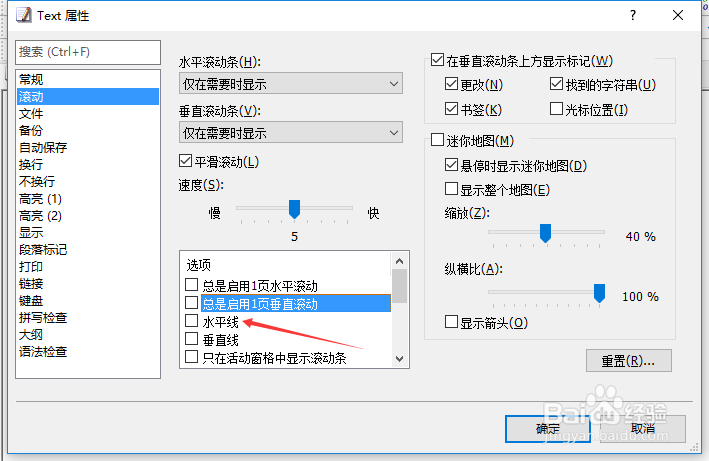
4、点击左侧中滚动选项
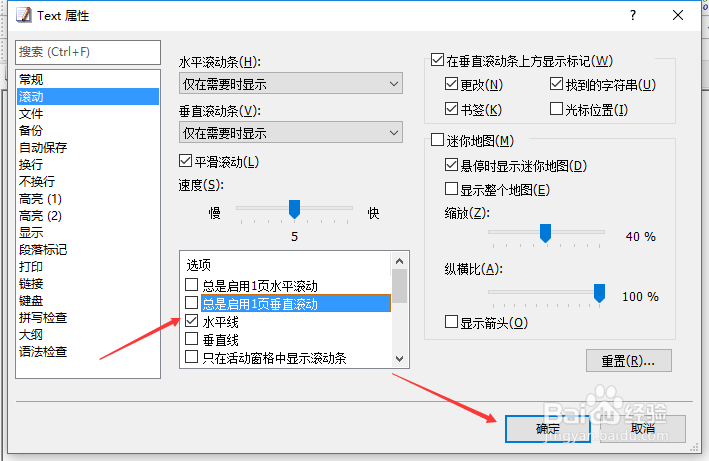
5、勾选水平线选项
6、勾选水平线选项之后,点击确定
相关推荐
EmEditor怎么关闭光标位置
阅读量:40
EmEditor怎么显示行号关闭
阅读量:99
EmEditor怎么设置平滑滚动
阅读量:126
EmEditor怎么设置光标位置
阅读量:88
EmEditor怎么设置运行输入法编辑器
阅读量:189
猜你喜欢
肉的做法
肉粽子的做法和配料
怎么写
塘角鱼的做法
春饼的做法
珐琅怎么读
坻怎么读
咽炎怎么治
牛肚的做法大全
墨鱼仔的做法
猜你喜欢
五香牛肉的做法
豉怎么读
鸡翅的做法大全
贫困申请书怎么写
莴笋叶的做法大全
小米锅巴的做法
猪肉皮冻的做法
红烧羊肉的做法
轶怎么读
沙丁鱼的做法