小度经验网
首页
美食营养
生活百科
知识问答
生活知识
返回
小度经验网
首页
美食营养
游戏数码
手工爱好
生活知识
生活百科
健康养生
运动户外
职场理财
情感交际
母婴教育
时尚美容
知识问答
更多知识
搜索
PowerShape 2017怎么关闭显示下一方案
2026-04-23 14:38:16
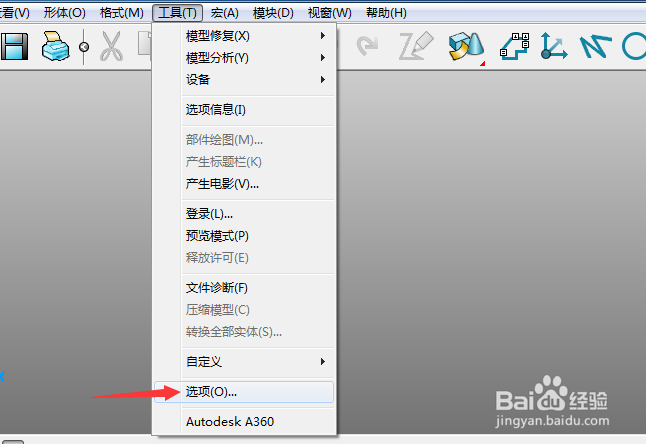
1、点击菜单中的工具菜单,弹出了下拉菜单选中为选项
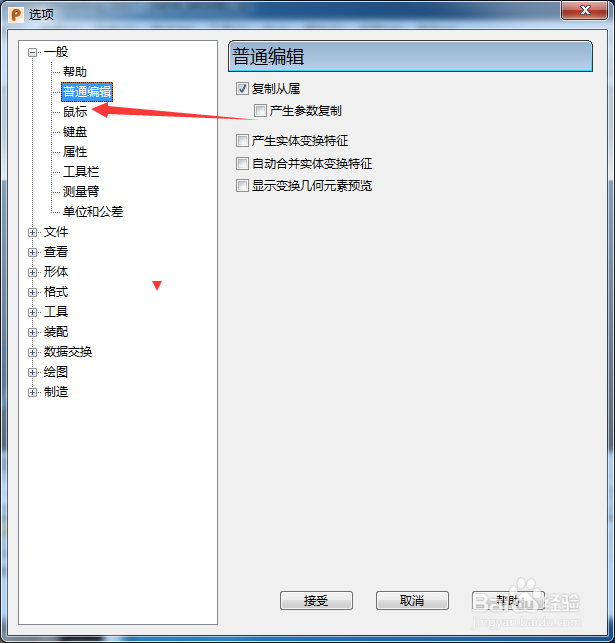
2、点击左侧中鼠标选项
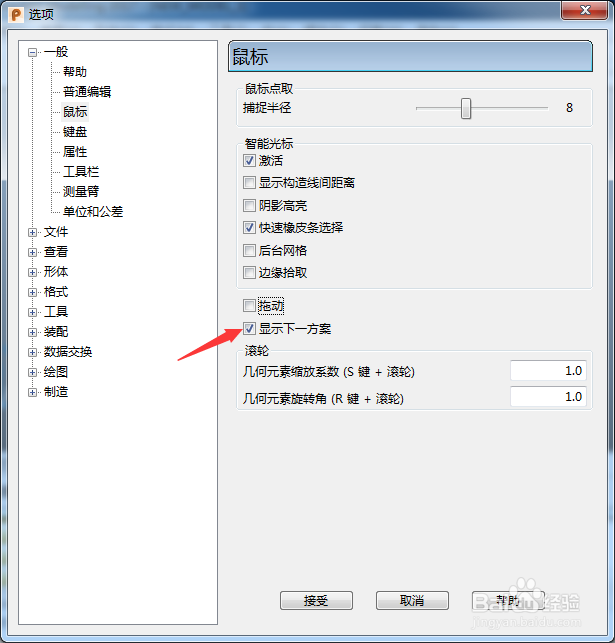
3、去掉勾选上显示下一方案选项
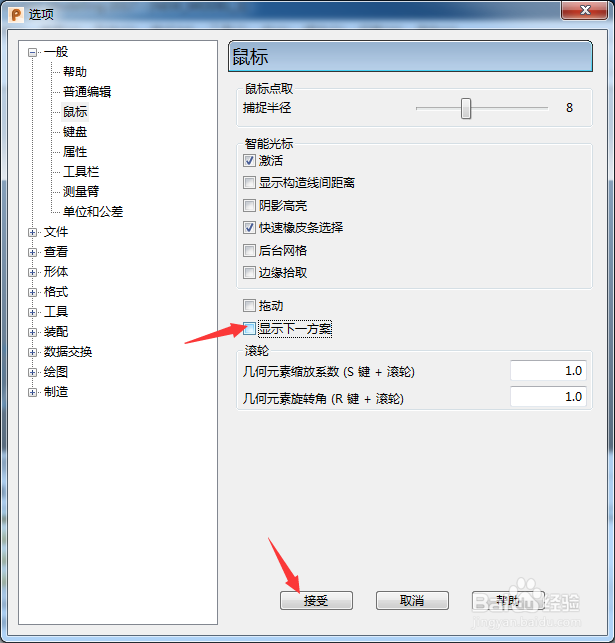
4、去掉勾选上显示下一方案选项之后,点击接受按钮
相关推荐
PowerShape 2017怎么关闭旋转跟踪球
阅读量:171
PowerShape 2017怎么关闭标记孔中心
阅读量:109
PowerShape 2017怎么关闭显示viewgube
阅读量:86
PowerShape 2017怎么关闭自动主平面
阅读量:39
PowerShape 2017怎么关闭双方向搜索
阅读量:61
猜你喜欢
灵敏的近义词
口吃怎么办
明洁的近义词
绮丽的近义词
可爱发型
宽阔的近义词
老婆有外遇怎么办
余文乐发型
怎么样收缩毛孔
含糊的近义词
猜你喜欢
手机字体怎么改
总产值怎么算
dnf怎么转区
严肃的近义词
眼睛发痒怎么回事
怎么查mac地址
怎么找回qq好友
怎么做鱼好吃
泉州闽台缘博物馆
天津博物馆