win10桌面自动刷新闪屏怎么解决
1、右键此电脑,点击管理。

2、在左侧列表中双击服务和应用程序,在右侧再次点击服务。

3、在列表中找到Problem Reports and Solutions Control Panel Support。

4、右键该文件,点击停止。

5、再次在列表中找到Windows Error Reporting Service。
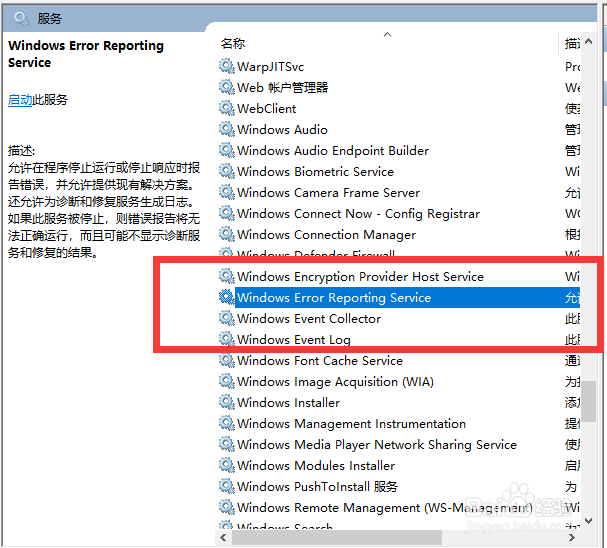
6、右键点击停止后重启电脑即可。

阅读量:38
阅读量:95
阅读量:159
阅读量:176
阅读量:24
1、右键此电脑,点击管理。
2、在左侧列表中双击服务和应用程序,在右侧再次点击服务。
3、在列表中找到Problem Reports and Solutions Control Panel Support。
4、右键该文件,点击停止。
5、再次在列表中找到Windows Error Reporting Service。
6、右键点击停止后重启电脑即可。