Adobe Illustrator CC 2019 安装激活完整攻略
1、打开 Adobe Creative Cloud ,把软件 Adobe Illustrator CC 2019更新到最新2019版本

2、下载、解压激活插件 Adobe Illustrator CC 2019安装包
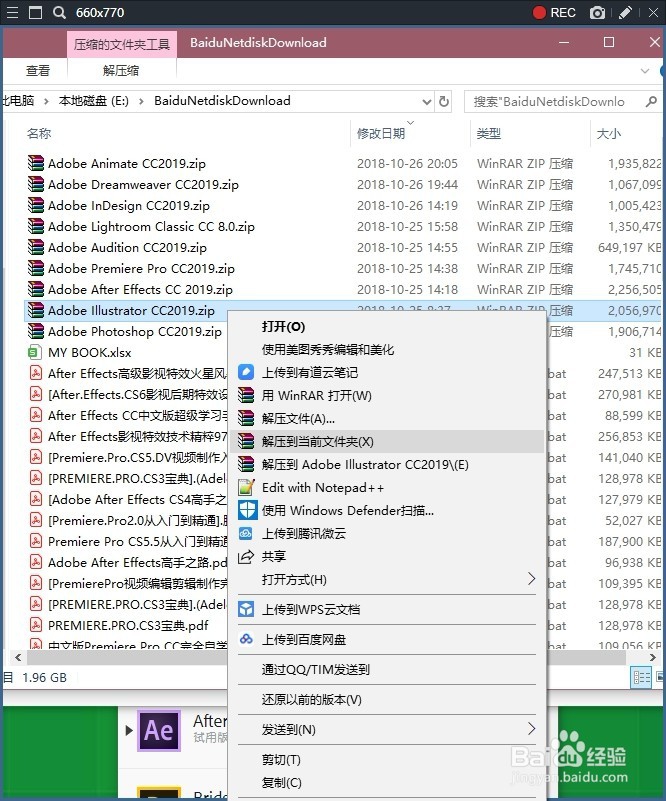
3、打开解压 Adobe Illustrator CC 2019文件夹,复制激活插件

4、打开软件 Adobe Illustrator CC 2019的安装路径
D:\Adobe Creative Cloud\Adobe Illustrator CC 2019\Support Files\Contents\Windows
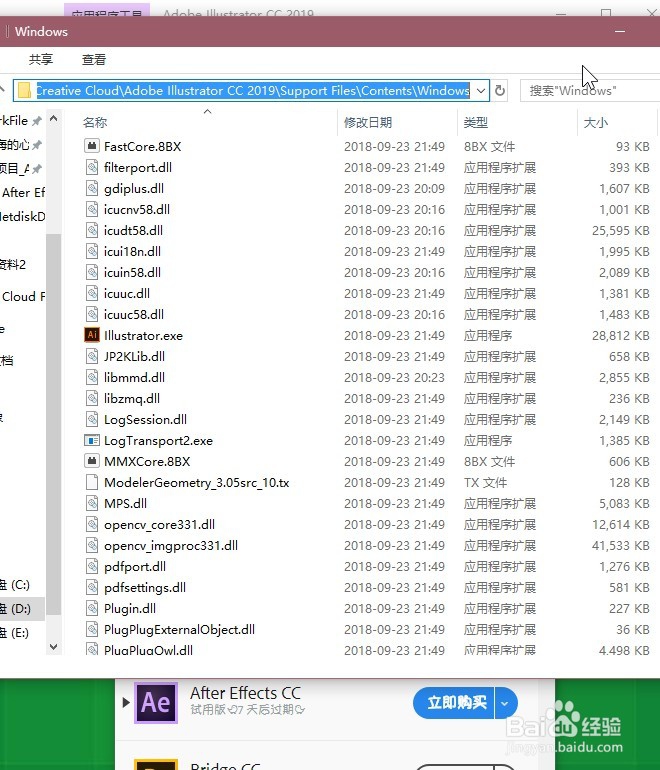
5、把激活插件粘贴到安装路径 Adobe Illustrator CC 2019当中

6、最后就可以打开最新版本的软件 Adobe Illustrator CC 2019使用了

阅读量:189
阅读量:54
阅读量:117
阅读量:154
阅读量:132