小度经验网
首页
美食营养
生活百科
知识问答
生活知识
返回
小度经验网
首页
美食营养
游戏数码
手工爱好
生活知识
生活百科
健康养生
运动户外
职场理财
情感交际
母婴教育
时尚美容
知识问答
更多知识
搜索
mac电脑怎么关闭菜单栏的虚拟键盘入口?
2026-04-21 17:07:58
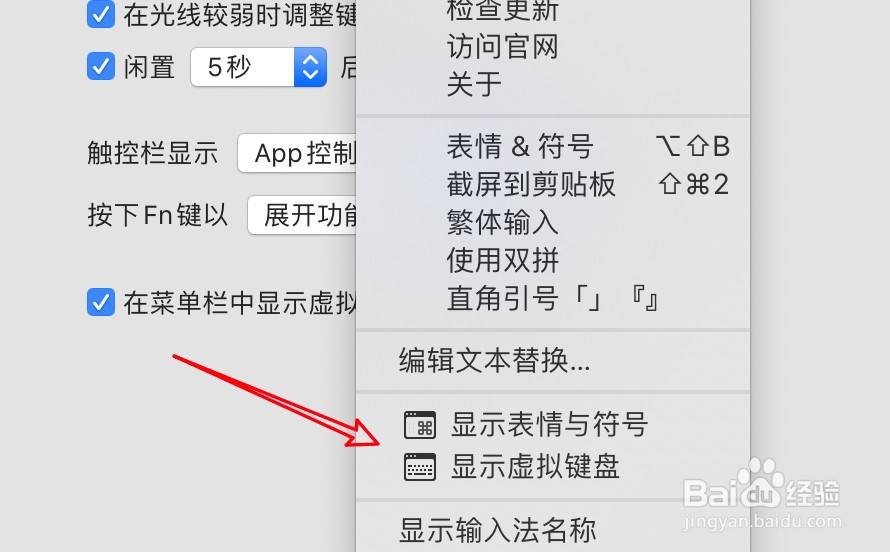
1、现在菜单栏上有显示虚拟键盘的。
2、要关闭它,点击系统偏好设置。
3、点击键盘。
4、点击上方的键盘选项。
5、取消选中显示虚拟键盘的选项。
6、设置完成。
相关推荐
steam远程畅玩教程
阅读量:77
地平线4怎么和好友一起跑图
阅读量:169
微软地平线5怎么退款
阅读量:165
古墓丽影崛起非主线古墓攻略
阅读量:118
steam生化6怎么调中文
阅读量:82
猜你喜欢
怎么查询wifi密码
上海当代艺术博物馆
汉口学院怎么样
怎么保护肝脏
风寒感冒颗粒说明书
重庆交通大学怎么样
圆脸发型图片
幼儿园安全常识
慈祥的近义词
酒喝多了怎么解酒
猜你喜欢
轻盈的近义词
京东怎么货到付款
桂鱼怎么做
公考常识
茂陵博物馆
无聊的近义词
齐肩发型
安静的近义词是什么
猕猴桃怎么吃才正确
怎么更改苹果id账号