如何设置icofx软件中资源管理器显示文件夹
1、点击“icofx”

2、在弹出窗口中,点击“Options”

3、在弹出栏目中,点击“Preferences”

4、在弹出窗口中,点击“Explorer”

5、在弹出窗口中,找到“File Types to Show”

6、在窗口中,将“Folders”勾选上

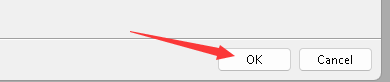
7、点击“OK”即可
阅读量:85
阅读量:176
阅读量:97
阅读量:104
阅读量:38
1、点击“icofx”
2、在弹出窗口中,点击“Options”
3、在弹出栏目中,点击“Preferences”
4、在弹出窗口中,点击“Explorer”
5、在弹出窗口中,找到“File Types to Show”
6、在窗口中,将“Folders”勾选上
7、点击“OK”即可