jupyter notebook的简单使用
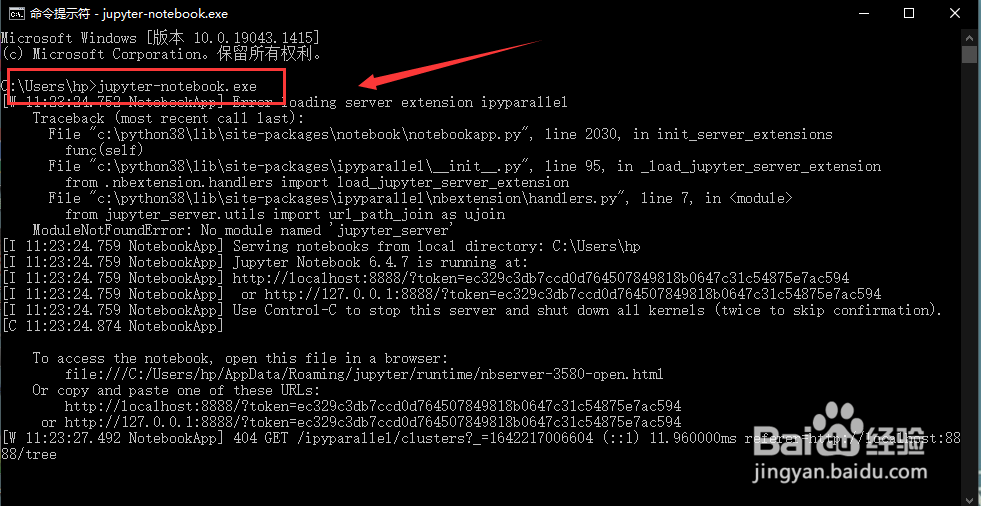
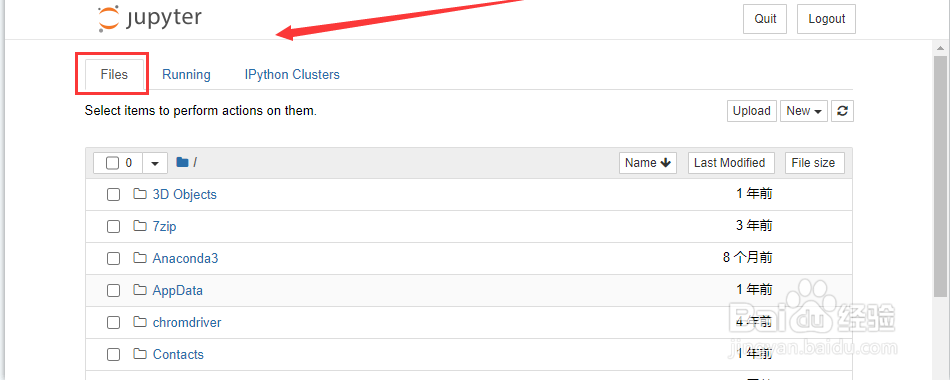
1、cmd环境输入jupyter-notebook.exe后,打开jupyter notebook,点击Files选项。
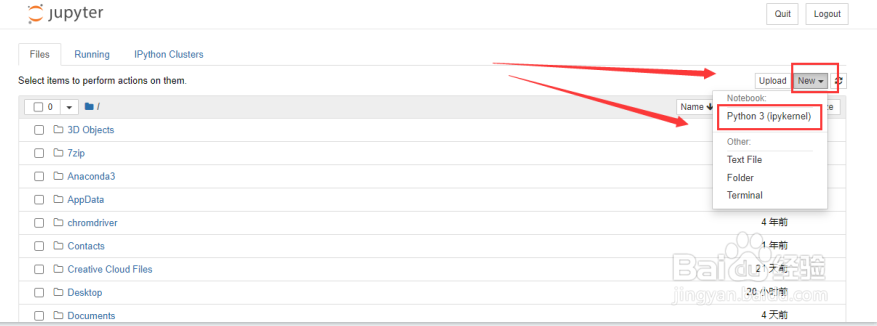
2、依次点击右边的New、Python3(ipykernel)选项
3、点击下图指定位置,设置笔记名字。
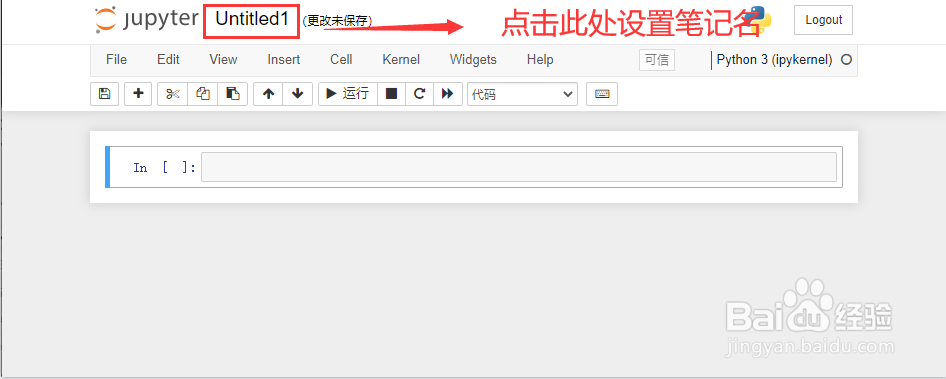
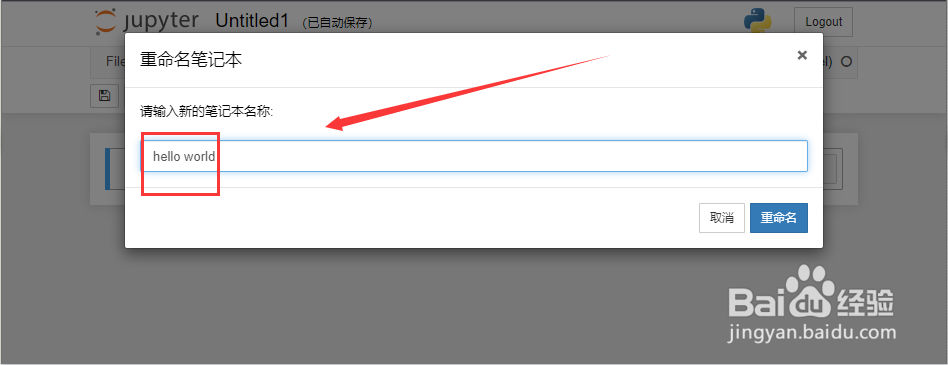
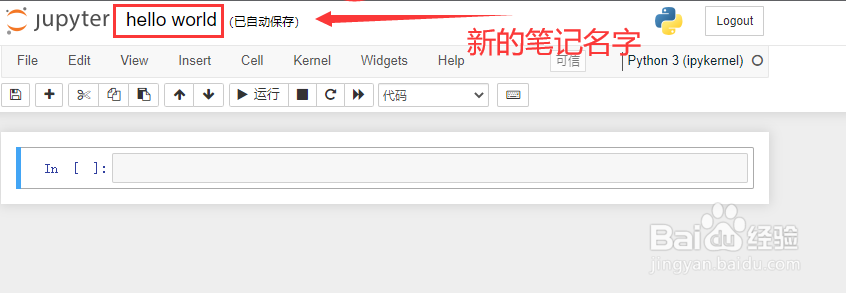
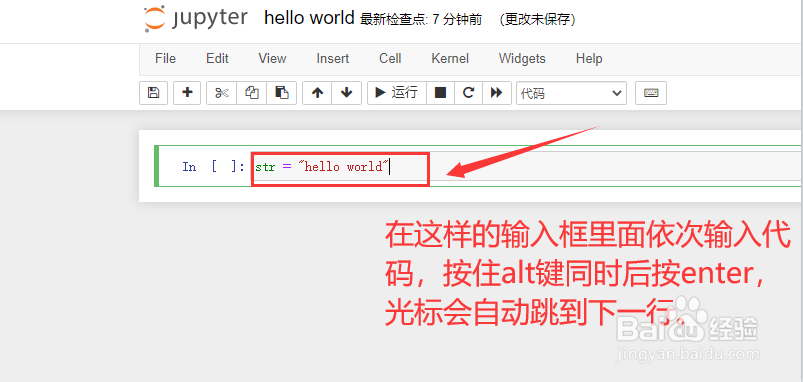
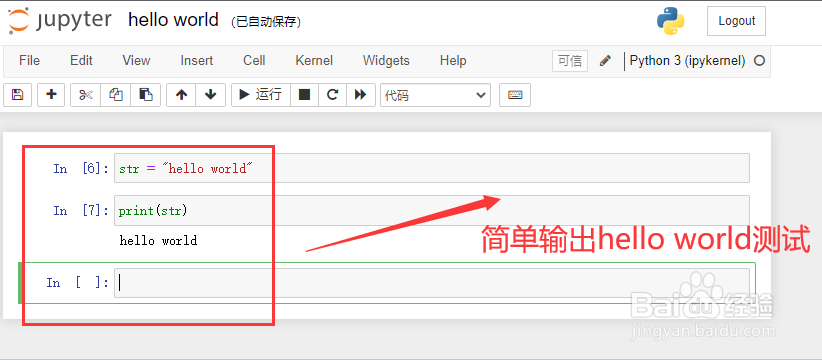
4、简单进行测试,如著名的hello world的输出测试。在指定位置输入代码,后使用快捷键alt + enter,光标会自动插入到下一行,并同时运行该代码。
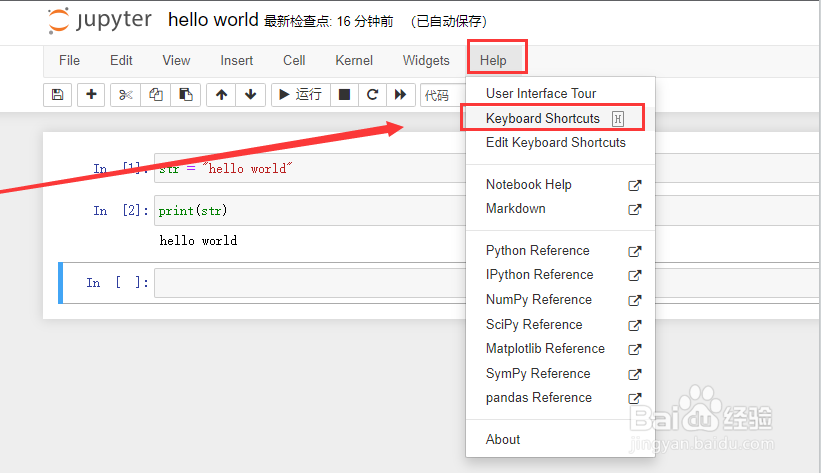
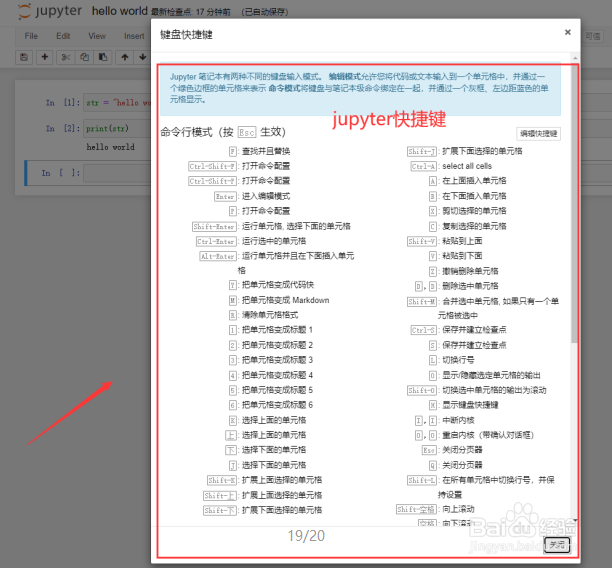
5、jupyter notebook通过菜单help下面的Keyboard shortcuts,可以查看jupyter的快捷键。
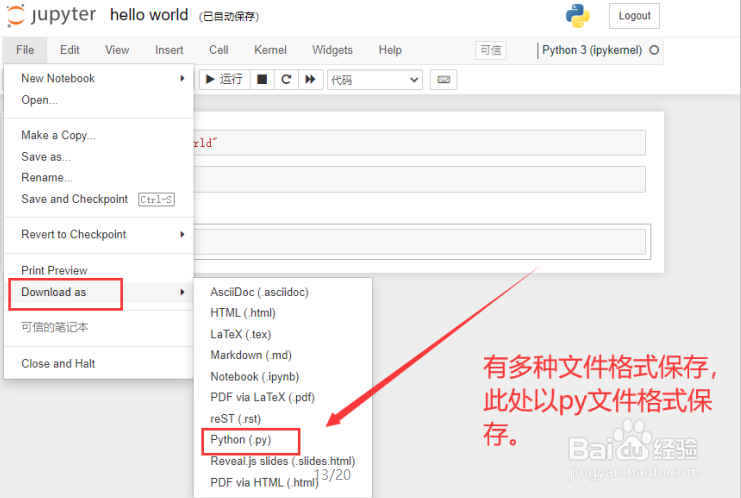
6、jupyter notebook文件保存
阅读量:118
阅读量:176
阅读量:136
阅读量:45
阅读量:93