在Python下安装scrapy
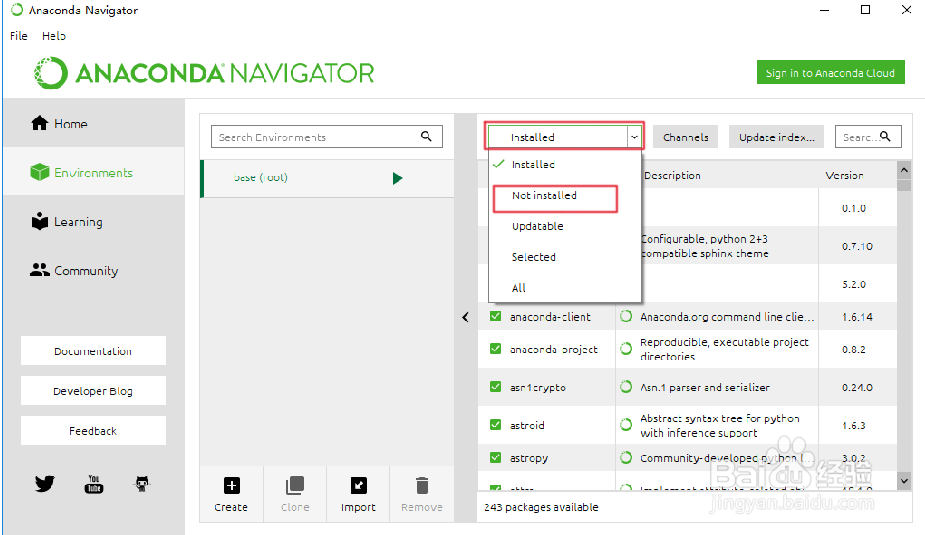
1、首先启动Anaconda 点击软件左侧Environments

2、点击右侧Installed 选择Not Installed
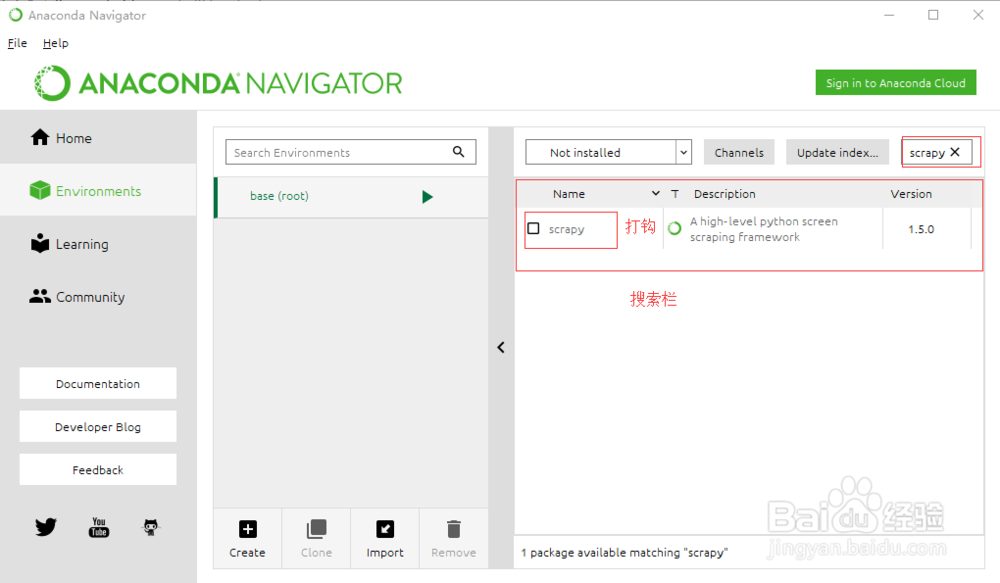
3、在搜索栏输入scrapy 在搜索结果上打钩,点击Apply
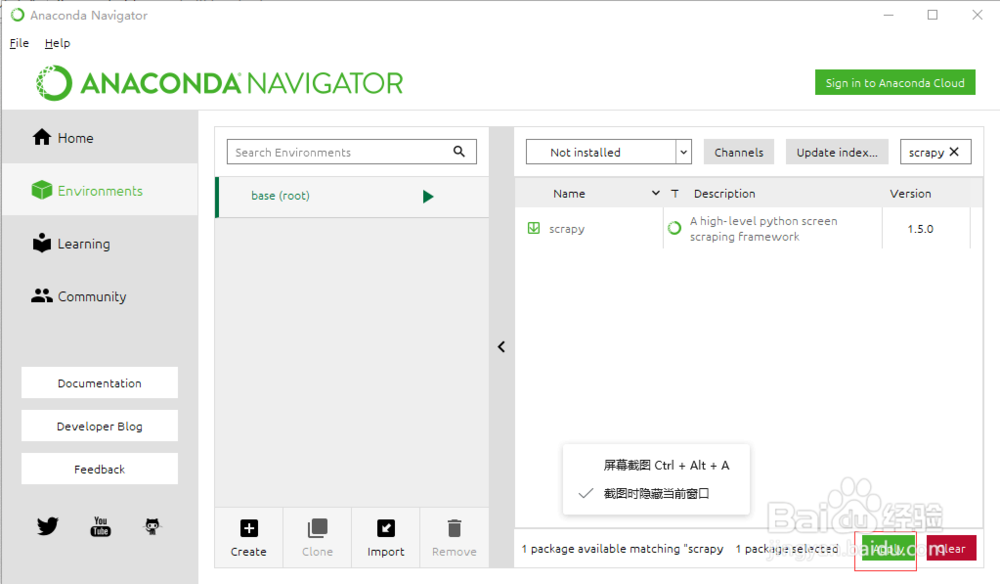
4、等待加载点击Apply
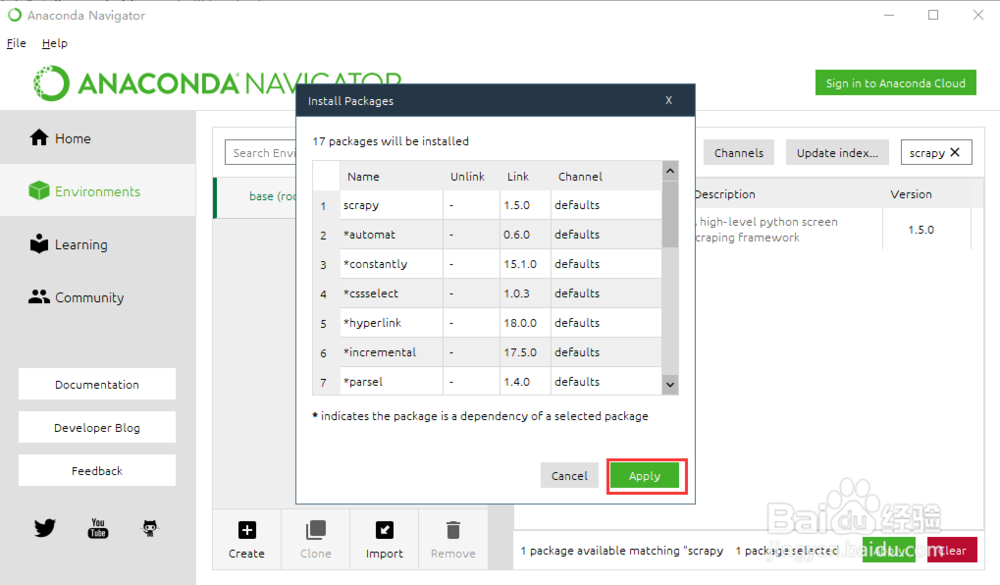
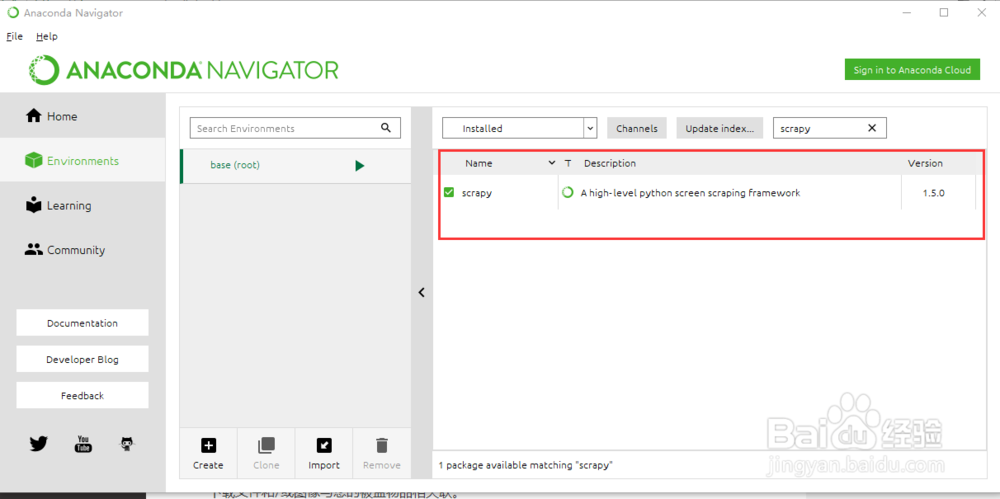
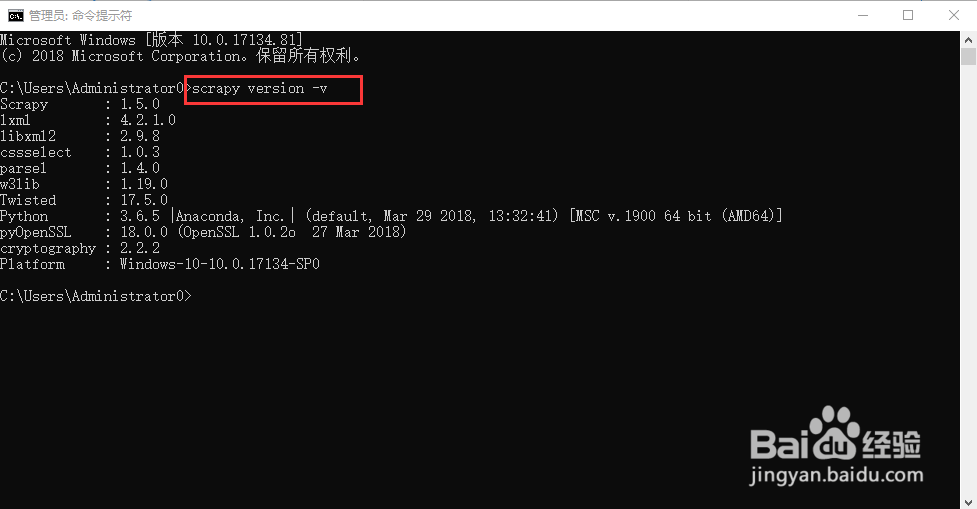
5、安装完成
阅读量:23
阅读量:192
阅读量:172
阅读量:148
阅读量:58
1、首先启动Anaconda 点击软件左侧Environments
2、点击右侧Installed 选择Not Installed
3、在搜索栏输入scrapy 在搜索结果上打钩,点击Apply
4、等待加载点击Apply
5、安装完成